
Outsourced Revit support gives overloaded architecture teams a way to absorb a workload spike without permanent hiring. When a team is fully booked, a deadline is closing in, and senior staff are doing production work at 10 PM, the choice is between hiring under time pressure, turning down work, or bringing in trained outside help that can plug into the firm’s Revit environment in days, not months. Done right, outside Revit support relieves the pressure without disrupting the design work or the firm’s standards.
This article is for the team lead, BIM manager, or principal who has run out of internal capacity and needs a clear-eyed view of what outsourced Revit support actually does, when it works, and how to bring it online without making the workload worse before it gets better.
How to Tell When a Team Is Genuinely Overloaded
Every architecture team feels busy. Overloaded is a different state, and recognizing it early matters because the longer it goes unaddressed, the more expensive it gets to fix.
Senior staff are doing production work
When a project architect is updating sheets, building schedules, or fixing family conflicts in the evenings, the firm is paying senior rates for work that should sit lower in the team. This is the clearest signal that production capacity is too thin.
Deadlines are slipping by days, not hours
An occasional late afternoon is normal. Deadlines moving by a full day or two repeatedly across multiple projects is not. The team is signaling that workload exceeds what the schedule assumed.
New work is being declined or deferred
Firms rarely refuse work in writing. They refuse it by going slow on responses, declining to bid, or pushing start dates into next quarter. Each is a real revenue cost that does not show up in a budget.
Quality is starting to drift
Small mistakes the team would normally catch start slipping through. Sheets get issued with old revisions. Schedules go out unsynchronized with the model. Worksets get misnamed. These are not skill failures. They are capacity failures.
People are talking about leaving
The latest and most expensive signal. By the time a strong senior team member resigns over sustained overwork, the cost of retention and rehiring is many multiples of the cost of bringing in production support earlier.
What an Overloaded Team Actually Needs
When a team is buried, the temptation is to ask for everything at once: more drafters, more modelers, more coordinators. That request is usually too broad to act on quickly. Naming the specific work that is slowing the team down is what makes outside support effective in weeks rather than months.
Most overloaded Revit teams need help with some combination of:
- Sheet generation and view management lagging behind model progress
- Schedule population and synchronization with model parameters
- Family creation, family hygiene, and library maintenance
- Worksharing setup and central file management
- Revision integration and revision schedule updates
- Model audits, broken link cleanup, and view template application
- As-built drafting from field markups
These are the bread-and-butter production tasks of delegated Revit modeling work. They follow the firm’s standards, do not require design judgment, and should not be eating senior staff time during a capacity crunch.
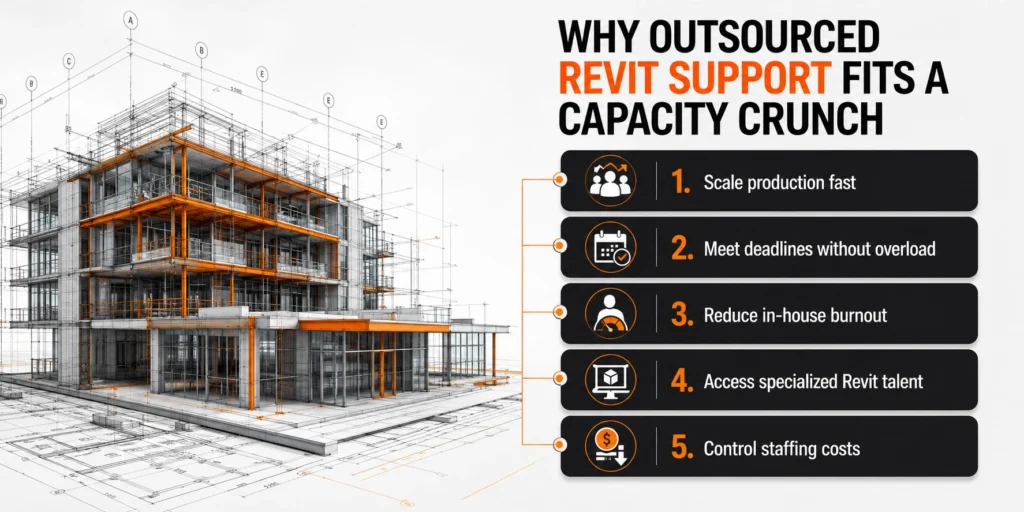
Why Outsourced Revit Support Fits a Capacity Crunch
Of the available responses to an overloaded team, hiring, declining work, pushing through with overtime, or bringing in outside support, the last one has specific advantages when speed and reversibility matter.
Faster to bring online than a hire
A new full-time Revit modeler takes 60 to 90 days from job posting to full productivity in a healthy hiring market. Outside Revit support with documented standards can start producing within the first week and reach full output by the end of the first month.
Reversible when the spike ends
If the workload peak is tied to a specific deadline, permit window, or multi-project overlap, outside support scales back down when the spike ends. A new hire stays on payroll whether or not the work continues.
Scoped to production, not design
Outsourced Revit support handles the production layer. Design authorship, code judgment, client meetings, and consultant coordination stay with the firm. This boundary is part of why the model can scale fast: the work being delegated is standards-driven, not judgment-driven.
Less disruptive than overtime
Pushing the existing team through a 12-week crunch produces burnout, attrition, and quality drift. Bringing in capacity is cleaner even when overtime looks cheaper on paper, because the long-tail cost of burnout rarely appears on the project budget.
Comparing the Four Common Responses to Overload
| Response | Time to relief | Reversibility | Hidden cost |
| Hire a full-time Revit role | 60 to 90 days | Low, fixed cost continues | Carrying salary through slow periods |
| Decline or defer new work | Immediate | Lost revenue is permanent | Revenue and reputation impact |
| Push through with overtime | Immediate | Can stop, but damage accumulates | Burnout, attrition, quality drift |
| Outsourced Revit support | 1 to 4 weeks | High, scales with workload | Internal coordination time |
For a deeper look at when each response makes sense, the trade-offs between hiring an in-house architectural drafter versus outsourcing the work walk through the same comparison from a longer-term staffing angle.
How to Bring Revit Support Online Without Slowing Down the Team
The risk during a capacity crunch is that the act of bringing in help creates more work for the team that is already buried. Done with a tight plan, the team’s load drops within the first two weeks.
- Name the work, not the role. List the three or four specific Revit tasks slowing the team down: sheet generation, family work, schedule synchronization, whatever the actual bottlenecks are. Vague requests for a Revit person take longer to fulfill and produce worse fits.
- Use existing standards documentation. If the firm has a Revit standards reference, share it. If not, a 30-minute screen recording of the senior modeler walking through view templates, family naming, and workset structure is enough to start.
- Assign one internal point of contact. The BIM lead, project architect, or senior modeler, whoever is closest to the bottleneck. They route work, answer questions, and approve deliverables. Multiple routers slow everything down.
- Start with a pilot task, even when pressure is high. One sheet, one workset setup, one family audit. The pilot exposes mismatches in standards before they multiply. Skipping this step under time pressure is the single most common cause of engagements failing in the first month.
- Provision access in parallel with the pilot. Software access, CDE permissions, and project file routing can happen during the same week as the pilot. Waiting for IT to finish provisioning before starting work doubles the timeline.
- Plan the first 30 days, not just the first week. Capacity relief is sustained through the second and third weeks, not by week one. Knowing the ramp-up shape in advance prevents the team from getting pulled back into fire-fighting at week two.
These steps map directly to a 30-day ramp-up plan for outsourced architectural teams, compressed for the capacity-crunch context. Structure is the same. Pace is faster.
What to Delegate First When the Team Is Drowning
Not every task is equally good for fast delegation. The work that pays back fastest is the most standards-driven and least dependent on recent design decisions.
Top of the list: high-volume, low-judgment work
- Sheet generation from the model, including view placement and cropping
- Schedule population and synchronization
- Revision integration, revision clouds, and revision schedule updates
- Family library cleanup and naming standardization
- Worksharing setup and central file management
Middle of the list: project-specific but documented work
- Production modeling from approved design drawings or sketches
- Wall type drafting from approved assemblies
- Tagging, dimensioning, and annotation conventions across the sheet set
- As-built drafting from field markups
Save for later: work tied to fresh design decisions
Tasks tied to design alternatives still in flux, early-phase modeling where intent is being worked out, or coordination with consultants whose input is pending. These benefit less from fast delegation because the inputs are not stable yet.
The first two categories often overlap with broader outsourced architectural drafting work, which is why firms on Revit frequently bring in drafting and modeling support together.
Common Mistakes When Bringing Revit Support to an Overloaded Team
The mistakes that derail outsourcing under normal conditions are amplified under capacity pressure.
Trying to delegate the hardest, most urgent work first
The instinct is to hand off the biggest fire. That instinct is wrong. The biggest fire usually involves recent design decisions, unresolved coordination, or political project dynamics. None of these translate well to a team member still calibrating to the firm’s standards. Hand off the steady production work first. Let the senior team focus the fire.
Skipping the pilot because there is no time
Under pressure, the pilot feels like a luxury. It is not. The pilot exposes mismatches in standards on a single deliverable. Skipping it means surfacing the same mismatches across ten deliverables three weeks later, when the cost of correction is much higher.
Routing work through multiple internal owners
When the team is buried, every senior person ends up assigning tasks to the outsourced team without coordinating. The outsourced team gets conflicting priorities and duplicate work. One internal owner, even under pressure, prevents this.
Not documenting the engagement as it happens
Standards questions get answered verbally, file paths get shared over chat, conventions get explained in passing. Three weeks later, nobody can remember what was decided. Capturing decisions in writing as they happen is what makes the engagement sustainable past the initial crunch.
Treating it as a one-time rescue
Firms that bring in Revit support only during a crisis never build the workflows that make outsourcing sustainable. The relationship stays transactional, standards never get documented, and the next crunch starts from scratch. The capacity-crunch moment is a good time to set up the relationship for the long term.
When Crunch Relief Becomes Sustained Capacity
Many firms bring in Revit support during one crunch and keep it on as steady-state capacity. The decision to extend past the initial spike is worth making consciously rather than by default.
Signs that crunch relief should become sustained capacity:
- The next spike is already visible on the project pipeline
- The outsourced team has calibrated to the firm’s standards and is producing aligned work
- Internal staff have shifted to higher-value work and the firm wants to keep that pattern
- Senior team retention has improved since production work moved off their plates
- The administrative workflow around the Revit work is also benefiting from outside support
When the engagement extends, it makes sense to wire it into the firm’s broader project workflows, including construction document control on outsourced engagements, transmittal preparation, and revision tracking. Production support and the admin layer around it work better when they move on the same cadence.

How Virtual Construction Assistants (VCA) Supports Overloaded Revit Teams
Virtual Construction Assistants (VCA) brings Revit production capacity online quickly for architecture teams under workload pressure. The construction virtual assistant works inside the firm’s Revit environment, on the firm’s standards, with the same access controls that apply to internal staff.
What this looks like for an overloaded team in the first 30 days:
- Week 1: Standards transfer, pilot deliverable, software access tested
- Week 2: Pilot reviewed, communication routines locked in, second deliverable produced
- Week 3: Multiple production deliverables in parallel, QA loop running
- Week 4: Sustained production cadence, internal team’s load measurably reduced
Typical tasks handled during a capacity crunch:
- Sheet generation, view placement, view template application
- Schedule population and synchronization with model parameters
- Family library cleanup and standardization
- Worksharing setup and central file management
- Revision integration and revision schedule maintenance
- Model audits, broken link cleanup, family hygiene
- Administrative workflows around the model, including transmittals, document control, and revision logs
The point is to move the team out of crisis mode quickly, then keep it out, without adding fixed cost the firm will regret when the workload eases.
Frequently Asked Questions
How quickly can outside Revit support actually start producing?
With documented standards and software access ready, production usually starts within the first week. Full output by week three or four. Calibration to the firm’s specific conventions takes the first 7 to 14 days.
Does the team need a documented BIM execution plan?
For sustained engagements, yes. For an immediate crunch, a one-page note covering LOD expectations, worksharing structure, and key conventions is enough to start. The plan can expand as the engagement extends.
What if the team has not used outsourced support before?
First-time engagements work best with a small, well-scoped pilot. The pilot validates that the standards, communication, and workflow translate cleanly before scaling up. A team’s first outsourcing engagement should not be a fully loaded permit set on day one.
Can outside Revit support handle worksharing in an active central file?
Yes, with defined worksets and clear ownership rules. The outsourced modeler should have a workset assignment, not edit-anywhere permissions. Conflicts and dropped changes come from undefined ownership, not from having outside team members in the central file.
How does this fit with the firm’s full-time Revit staff?
Internal staff hold design authorship, project leadership, and BEP ownership. Outsourced support handles production, sheet management, family work, and worksharing maintenance. Two-tier arrangements where outsourced work is somehow lower-trust create more problems than they solve. Outsourced team works inside the same standards as internal staff.
What happens to the outsourced team when the crunch ends?
Either the engagement steps down to a lower volume to match the new pace, or it ends cleanly with access revoked and files reclaimed. The wind-down should be planned at the start, not at the end.
Get the Team Out of Crisis Mode Without Hiring Under Pressure
Overloaded Revit teams have a narrow window to act before the cost of doing nothing becomes the cost of senior burnout, project delays, or declined work. Outsourced Revit support is the fastest response to bring online, reversible if the workload eases, and scoped to production work that does not require the firm to give up design authorship. Used well, it turns a capacity crunch into a transition to a sustainable production model, which is part of why outsourced architectural work has become standard for scaling firms.
Virtual Construction Assistants (VCA) supports overloaded teams through a dedicated architectural virtual assistant trained in Revit production, family work, sheet generation, worksharing setup, and the administrative workflows around the drawings. The work fits inside your standards, your environment, and your direction at every stage.


